
Typical Bullhorn Office Registration Project
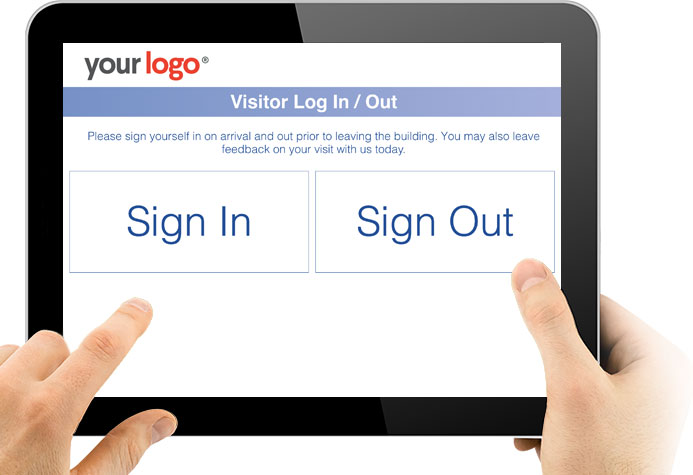
Visitors are great, but they can take up lots of time, that’s why the NHS has those clever screens where you register yourself on arrival. Our Bullhorn Office registration System is very similar. Your visitor signs themselves in, we immediately contact the recruiter to inform them that their visitor has arrived, we also update Bullhorn to add the appointment, or add a note to say that the appointment went ahead.
If the candidate provides feedback when leaving, this can also be saved directly in to Bullhorn for you.
Any tool that reduces labour, improves candidate engagement and provides more information gets a thumbs up from me. One such tool is our Bullhorn Candidate Registration Tool. Initially created as a one off project, it has since been packaged up in to a tool in it’s own right.
Your current scene is set pretty much like this; a candidate arrives at the office, the receptionist is on a call so the candidate waits. The receptionist then asks for the candidate information and tries to contact the recruiter concerned, but the recruiter isn’t at their desk. The poor receptionist then has to call around the office trying to track down the recruiter. When the candidate comes to leave, they walk straight out of the door. Was their visit a successful one, did they achieve what they wanted to and additionally, was the visit logged in to Bullhorn?
Now imagine our Bullhorn Candidate Registration Tool. The candidate walks in to reception and uses the screen to easily sign themselves in. The recruiter is automatically alerted of their arrival. On leaving, the candidate easily signs themselves out and is presented with satisfaction options (usually in the form of three faces for smile, neutral and sad) with further feedback ability to leave a message for example. This visit is automatically logged in to Bullhorn for you. If the candidate was unhappy on leaving, we can even message the recruiter and/or their manager to rectify the situation before the candidate even arrives back home.
But what about safety say those Health and Safety trained heroes reading this. In the case of fire or immediate evacuation, the system features a tool that with one click will display a list of visitors in the office. This can be used on any device also i.e. from the safety of the evacuation point on your smart phone.
Use this excellent Bullhorn Candidate Registration Tool with our GDPR Candidate Portal to ensure candidate data is bang up to date and legal.
